

Maps API Quickstart
Use this guide to inspect available tilesets and build a MapLibre map with authenticated Geoscape tile requests.
Before you begin
You need a Geoscape Hub application with Maps API product access and its Consumer Key. Follow Authentication to set up your application.
Code
The header name is Authorization. Its value is the Consumer Key directly, without a Bearer prefix. The Consumer Secret is not used in these requests.
1. Inspect available tilesets
Code
The response is an array of TileJSON objects. Read tiles for URL templates and vector_layers for source-layer names, fields, geometry types, and zoom levels. Use the published layer ranges when configuring a source.
2. Create a map
Save the following as index.html and replace YOUR_CONSUMER_KEY with your application's Consumer Key. Open it in a browser with internet access.
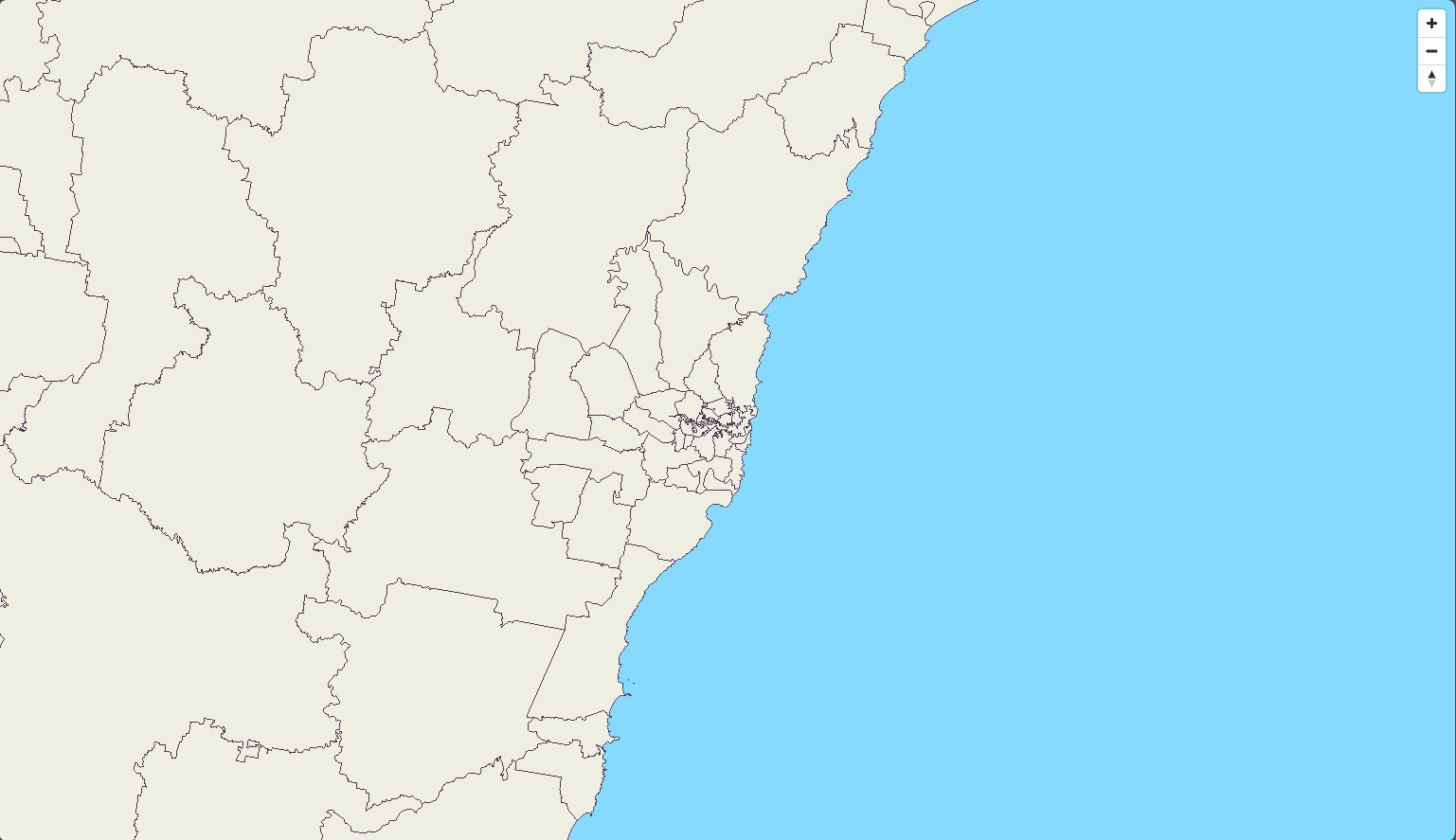
The example uses MapLibre to render Local Government Areas and G-NAF points around Sydney. transformRequest supplies the Authorization header for each Geoscape resource request. Maps also accepts the Consumer Key in the key query parameter when your client cannot send a header.
Code
A key included in browser code is visible to the browser user. Keep your Consumer Secret out of the page. Follow Authentication when configuring your application.
3. Read the map configuration
tilesis the URL template for a tilesetsource-layeris the vector layer inside the tiles. It can differ from the tileset namemaxzoomis the highest published source zoom. MapLibre overzooms those tiles at higher display zooms- The background colour is supplied by the example. Add your own basemap if you need roads or imagery
Local Government Areas uses a source maxzoom of 12. G-NAF uses 15. The client styles the raw vector data as fills and circles. Tiles are generalised at lower zooms, so small features may appear only as you zoom in.
4. Choose another layer or style
Use Map Layers for tileset names, source-layer names, attributes, and published zoom ranges. Retrieve /v1/maps/index.json to inspect available tileset metadata.
For a ready-made style, retrieve /v1/maps/stylesheets/geoscape-light.json. Authenticate requests for the style and every referenced tile and font resource. You can use the same transformRequest callback with that style URL.
Usage and errors
Each returned tile uses 0.02 credits. A map loads several tiles, and moving or zooming can load more.
- For
401or403, resolve credentials or product access - For
404, check the tileset, zoom, and tile location. Some locations have no tile - Use a compatible vector-tile client to decode the gzip-compressed protobuf response
See Error Handling and Rate Limiting for retries and request rates.